1、官方示例nz-date-picker
官方示例中做到的效果无法满足业务查询的务求,比如:我需要先选中开始时间,然后再选择结束时间时无法选中相同日期的数据,并且即使选择"此刻"时,对应的时间也没有进行禁用
说明:ng-zerro是有对应的实现的,但是在示例中相对简单,无法达到效果,本文仅仅做了自己的实现记录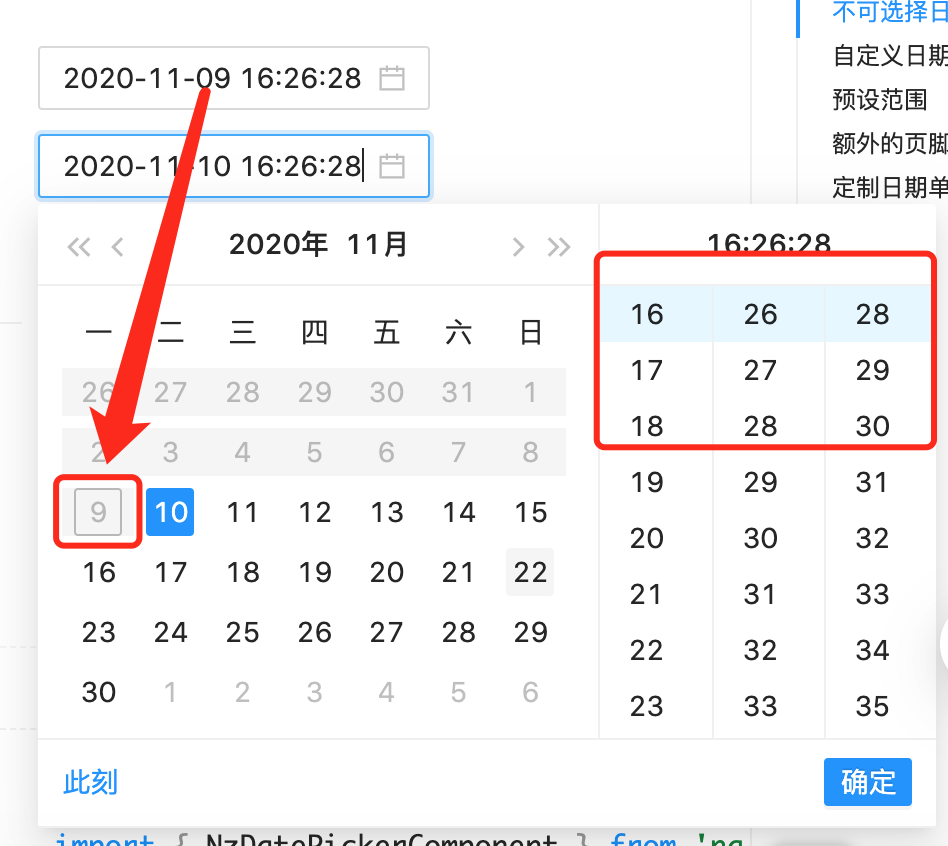
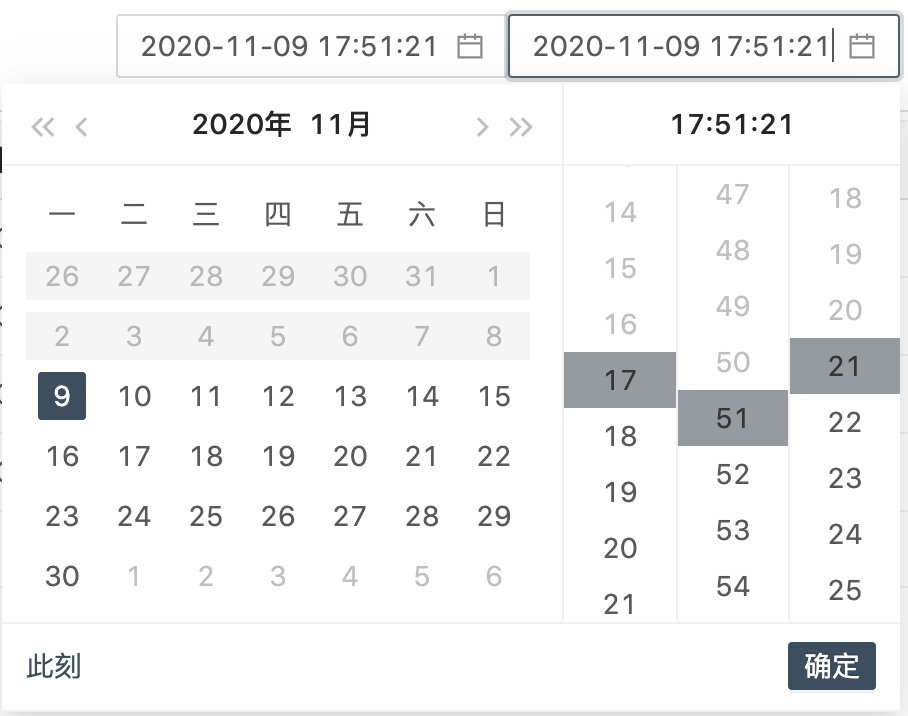
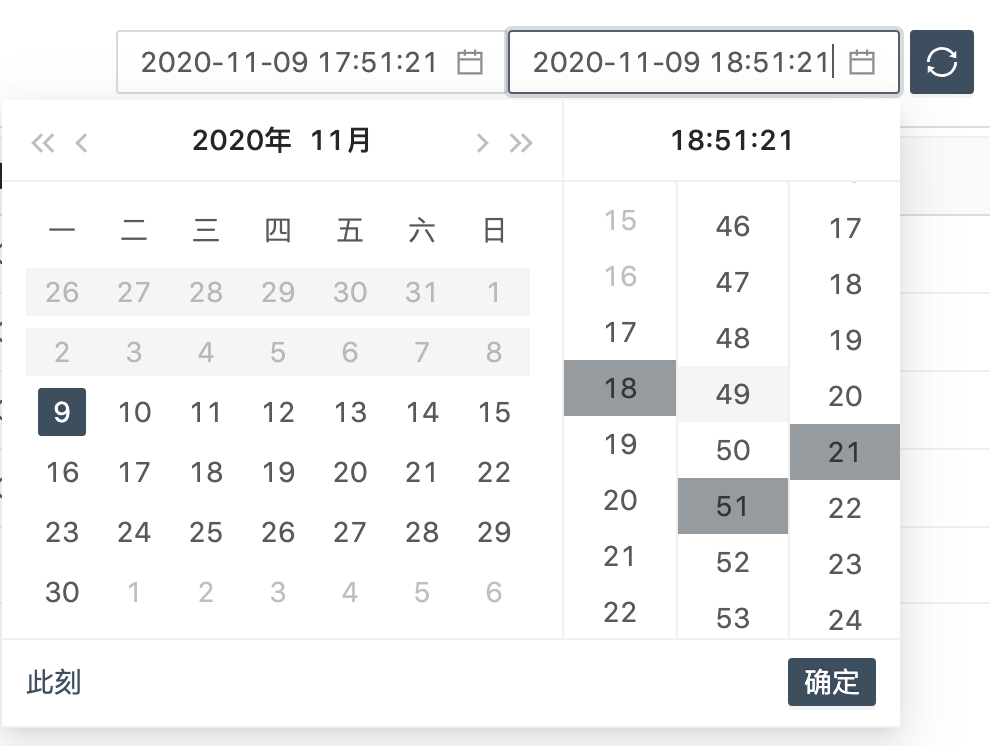
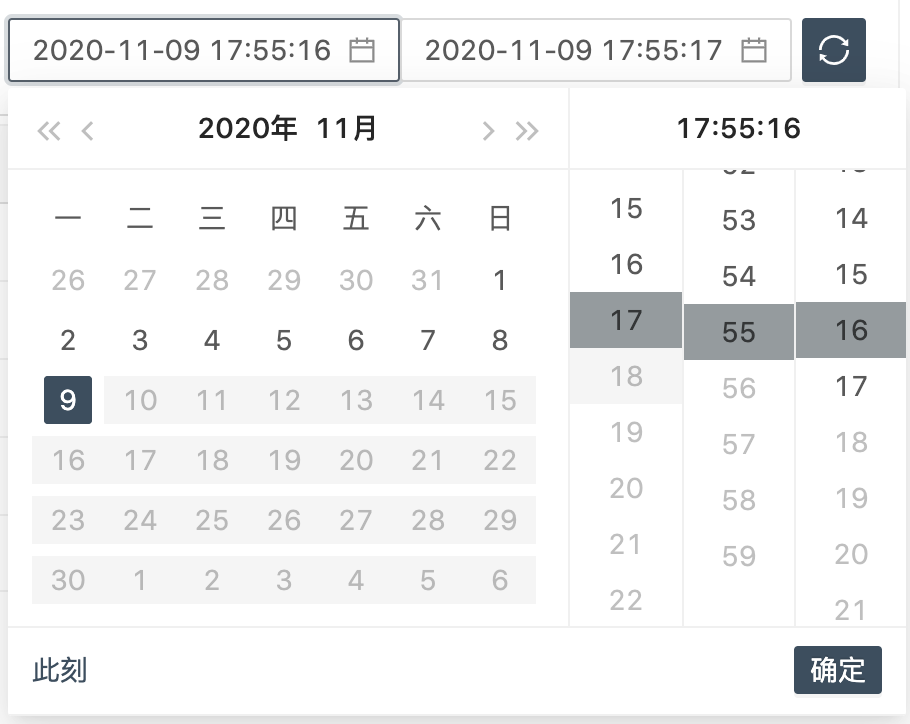
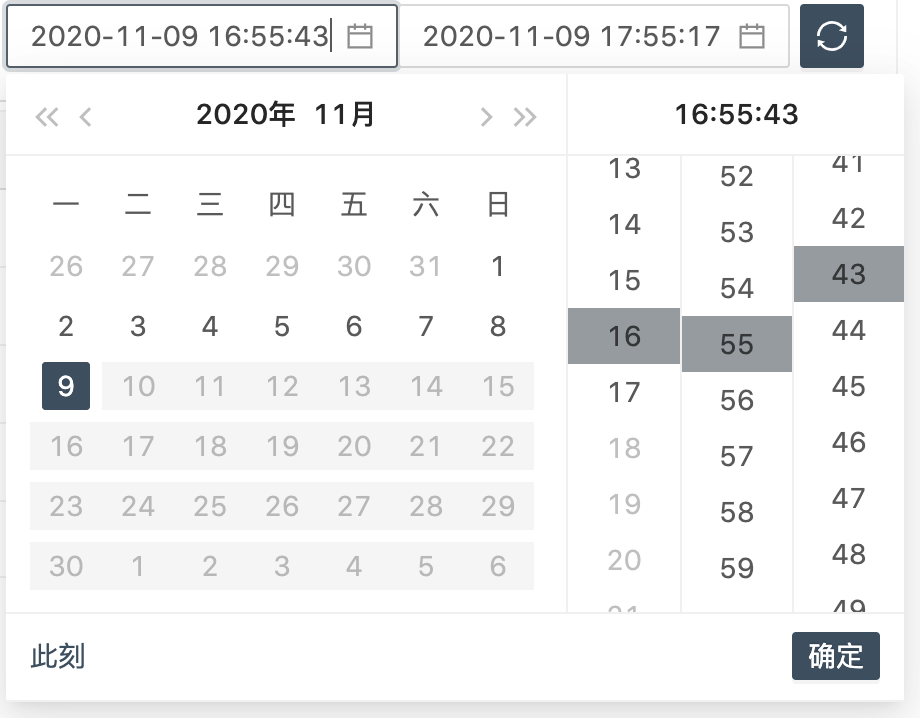
2、如何实现可以选择相同的时间,并且禁用不在选中时间范围内的时间
如:开始时间2020-11-09 12:12:12,结束时间需要选中2020-11-09 12:12:12,并且小于2020-11-09 12:12:12的时间需要禁用
html实现:
<nz-date-picker [nzDisabledTime]="disabledStartTime" [nzDisabledDate]="disabledStartDate" nzShowTime nzFormat="yyyy-MM-dd HH:mm:ss" [(ngModel)]="startValue" nzPlaceHolder="开始时间" (ngModelChange)="onStartChange($event)" > </nz-date-picker> <nz-date-picker [nzDisabledTime]="disabledEndTime" [nzDisabledDate]="disabledEndDate" nzShowTime nzFormat="yyyy-MM-dd HH:mm:ss" [(ngModel)]="endValue" nzPlaceHolder="结束时间" (ngModelChange)="onEndChange($event)" > </nz-date-picker>ts实现:
// 对日期进行配置disabledStartDate = (startValue: Date): boolean => { if (!startValue || !this.endValue) { return false; } // 相同时间可以选择 if (startValue.getTime() === this.endValue.getTime()){ return false; } return startValue.getTime() >= this.endValue.getTime();}disabledEndDate = (endValue: Date): boolean => { if (!endValue || !this.startValue) { return false; } if (endValue.getDate() === this.startValue.getDate()) { // 相同日期不禁用 return false; }else{ // 相同时间可以选择 return endValue.getTime() <= this.startValue.getTime(); }}// 对时间进行禁用disabledStartTime: DisabledTimeFn = (_value: Date, type?: DisabledTimePartial) => { // 对开始时间进行设置 if (!this.endValue){ return null; } if (!_value){ _value = this.endValue; } let disableMinutes = []; let disableSeconds = []; if (_value.getHours() < this.endValue.getHours()){ disableMinutes = []; disableSeconds = []; }else{ disableMinutes = this.range(this.endValue.getMinutes() + 1, 60); if (_value.getMinutes() < this.endValue.getMinutes()){ disableSeconds = []; }else{ disableSeconds = this.range(this.endValue.getSeconds() + 1, 60); } } return { nzDisabledHours: () => this.range(this.endValue.getHours() + 1, 24), nzDisabledMinutes: () => disableMinutes, nzDisabledSeconds: () => disableSeconds };}disabledEndTime: DisabledTimeFn = (_value: Date, type?: DisabledTimePartial) => { // 对结束时间进行设置 if (!this.startValue){ return null; } if (!_value){ _value = this.startValue; } let disableMinutes = []; let disableSeconds = []; if (_value.getHours() > this.startValue.getHours()){ disableMinutes = []; disableSeconds = []; }else{ disableMinutes = this.range(0, this.startValue.getMinutes()); if (_value.getMinutes() > this.startValue.getMinutes()){ disableSeconds = []; }else{ disableSeconds = this.range(0, this.startValue.getSeconds()); } } return { nzDisabledHours: () => this.range(0, this.startValue.getHours()), nzDisabledMinutes: () => disableMinutes, nzDisabledSeconds: () => disableSeconds };}3、效果:
3.1、有开始时间,选择结束时间:
3.2、有结束时间,选择开始时间:
个人博客 蜗牛
原文转载:http://www.shaoqun.com/a/489598.html
c-tick认证:https://www.ikjzd.com/w/2074
crowd:https://www.ikjzd.com/w/880
vava:https://www.ikjzd.com/w/2780
1、官方示例nz-date-picker 官方示例中做到的效果无法满足业务查询的务求,比如:我需要先选中开始时间,然后再选择结束时间时无法选中相同日期的数据,并且即使选择"此刻"时,对应的时间也没有进行禁用 说明:ng-zerro是有对应的实现的,但是在示例中相对简单,无法达到效果,本文仅仅做了自己的实现记录2、如何实现可以选择相同的时间,并且禁用不在选中时间范围内的时间 如:开始时间
hemingway:https://www.ikjzd.com/w/2344
燕文物流:https://www.ikjzd.com/w/2229
2020年广州哪里有元旦跨年倒数活动?:http://tour.shaoqun.com/a/3559.html
趵突泉公园到大观园需要多长时间?趵突泉离大观园多远?:http://tour.shaoqun.com/a/48235.html
去泰国旅游穿什么?:http://tour.shaoqun.com/a/46009.html
